VEIKK A30 Graphics Pen Tablet 10 X 6 inch
VEIKK A30 Graphics Pen Tablet @ Best Price
- VEIKK A30 digital art tablet is designed for drawing, design, online education, E-signature, as well as photo/video editing. It is compatible with Windows, Mac, Android and Linux OS. You can start your art work with A30 in most software like Adobe Photoshop, SAI, Adobe Illustrator, Corel Painter, Clip Studio, SketchBook, MediBang, Zbrush, Krita, Gimp etc.
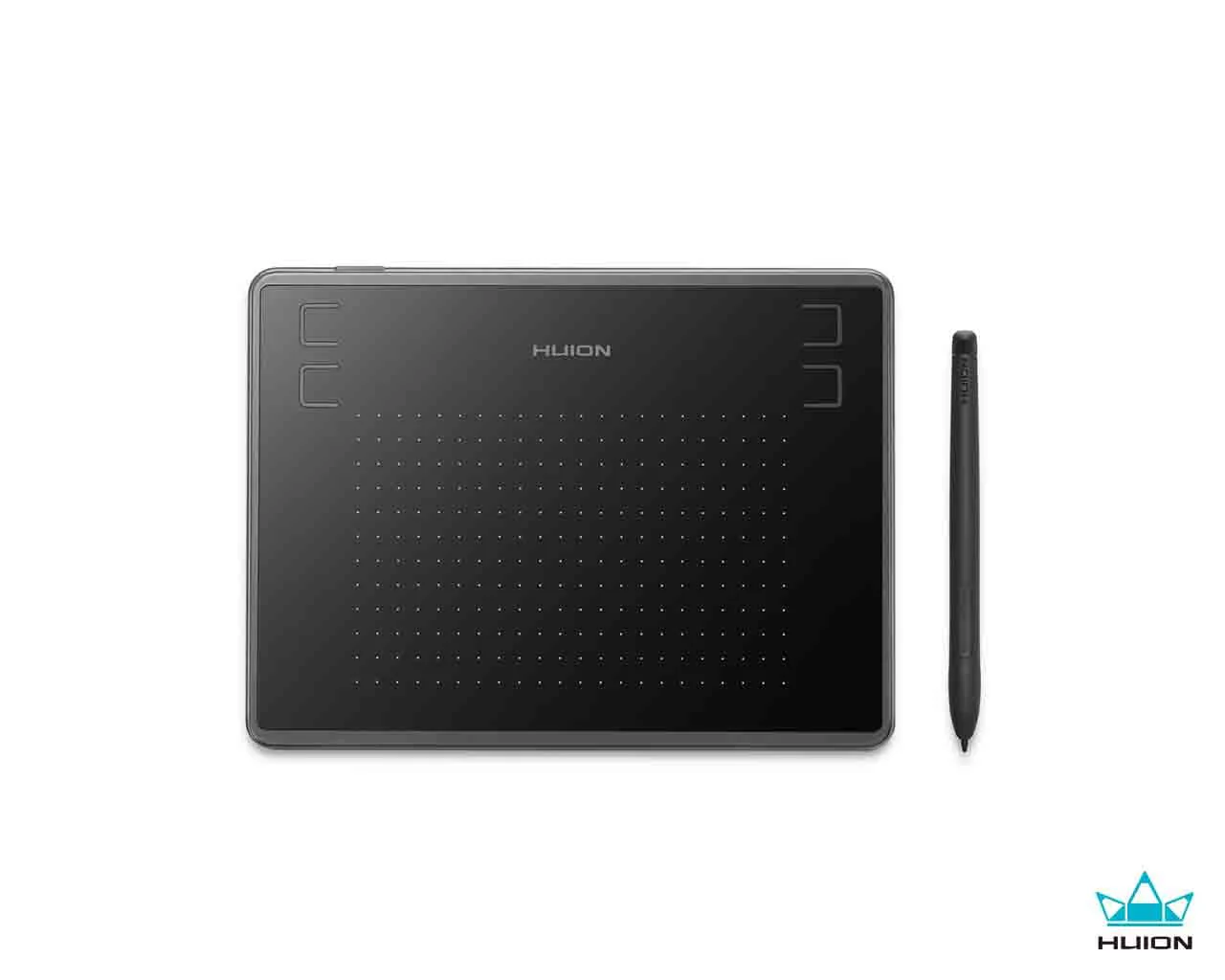
- VEIKK A30 graphic tablet is designed with unique touch pad. It has 4 touch keys and one gesture pad. If you are younger or those who prefer modern design, VEIKK A30 drawing pad is the right one which will provide you with a perfect difference touch experience, as well as stable performance.
- 8192 professional levels of pressure sensitivity provide exquisite strokes and making the lines smoother and natural. Battery-free pen allow you for constant uninterrupted drawing, no battery and don’t need to charge.
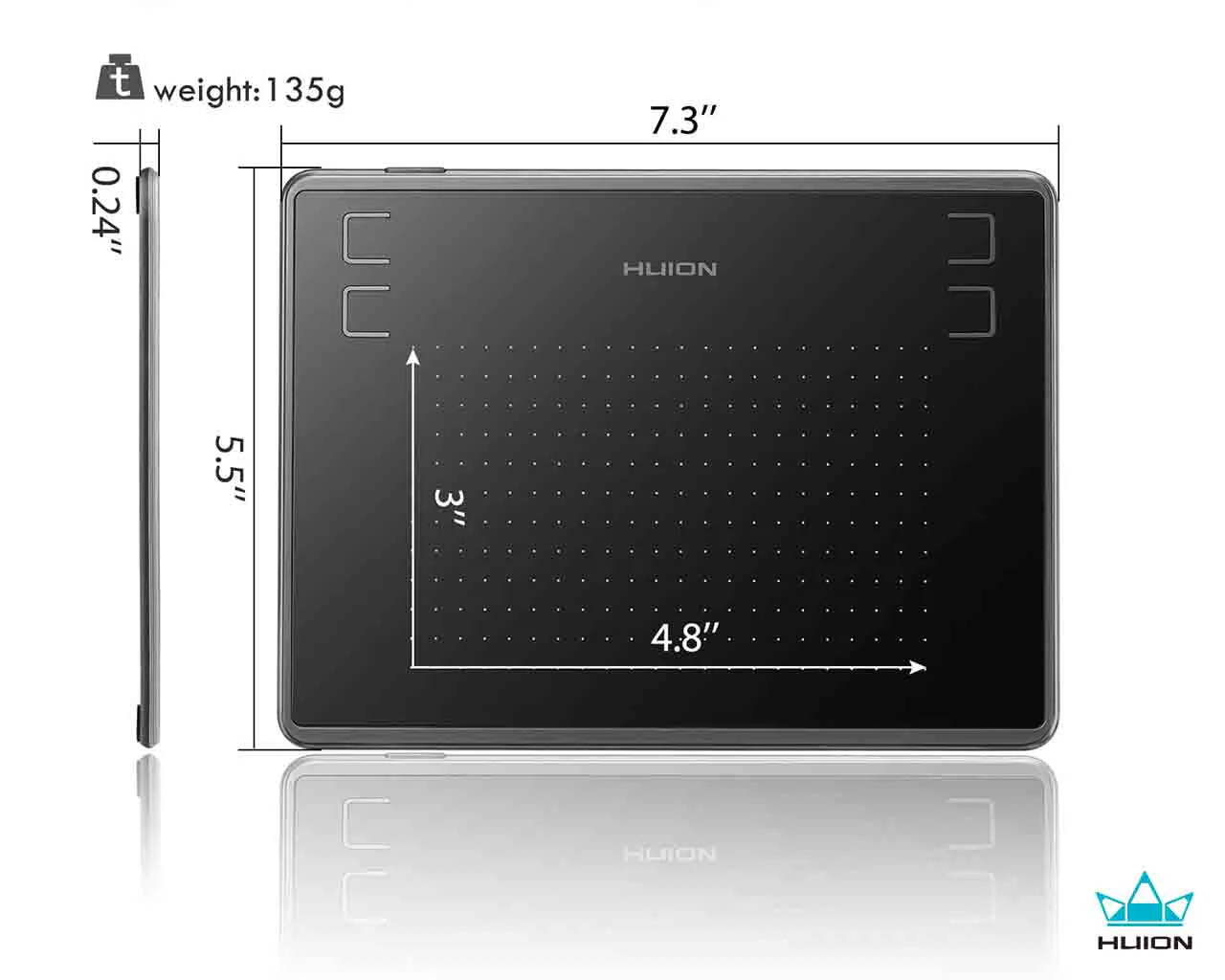
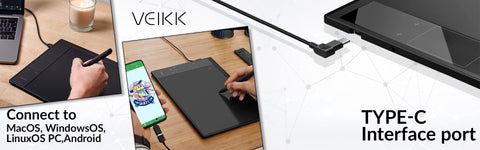
- A30 pen tablet has a 10x6 ultra-large drawing area, which provides more space for art create. A30 design tablet comes with Type-C port design, which allow to plug in and out with either direction, more convenient and stable. It supports both right and left hander. A30 digital drawing tablet comes with extra 8 nibs,1 tablet film and artist glove, you don’t need to buy extra accessories, save your time and make drawing convenience.

NOT a standalone product!!!
Slim design and Large drawing area

Batterry-free Stylus

Connect to MacOS, WindowsOS,LinuxOS PC,Android 6.0
Start perfect hand touch experience with A30 computer graphics tablets!
By default, A30 touch keys functions are settled for Photoshop. But all touch keys can be customized in different drawing software according to your drawing habit.
Gesture pad is designed for zoom in/out the canvas and brush. You can just use them with your hand.
The function of Gesture Pad by default:
Slide up: canvas zoom in / Slide down: canvas zoom out
Slide right: brush zoom in / Slide left: brush zoom out
Touch keys functions by default:
K1: Space / K2: i / K3: F5/ K4: CTRL+Z

Drawing/Sketching/3D Sculpting
- VEIKK A30 graphic design tablet need to be connected with a computer or an Android device for drawing or design.
- Instead of traditional pen and paper, A30 animation tablet provides perfect art creation experience.

Photo/Video Editing
- A30 pen tablet works as a mouse replacement, make your Photo/Video Editing process easier and more natural than a traditional computer mouse, speed up your workflow!

Business Signature
- VEIKK A30 graphics tablet can be used for digital business signature in Word, Excel, PDF etc.
- It can be used in banks, hotels, government and offices for signing.

Online Learning Web Conference
- VEIKK A30 pen tablet is not only for digital drawing , animation, sekeching, 3D art work , etc, but also a good partner for doing white board exercises for training classes, e-learning and web conference.

|
Specifications: |
|
| Model |
|
| Working Area |
|
| Shortcut Keys |
|
| USB Port |
|
| Pen |
|
| Pen Pressure |
|
| Report Rate |
|
| Resolution |
|
| Reading Height |
|
| What's in the box? |
|
VEIKK A30 Graphics Pen Tablet @ Best Price
- VEIKK A30 digital art tablet is designed for drawing, design, online education, E-signature, as well as photo/video editing. It is compatible with Windows, Mac, Android and Linux OS. You can start your art work with A30 in most software like Adobe Photoshop, SAI, Adobe Illustrator, Corel Painter, Clip Studio, SketchBook, MediBang, Zbrush, Krita, Gimp etc.
- VEIKK A30 graphic tablet is designed with unique touch pad. It has 4 touch keys and one gesture pad. If you are younger or those who prefer modern design, VEIKK A30 drawing pad is the right one which will provide you with a perfect difference touch experience, as well as stable performance.
- 8192 professional levels of pressure sensitivity provide exquisite strokes and making the lines smoother and natural. Battery-free pen allow you for constant uninterrupted drawing, no battery and don’t need to charge.
- A30 pen tablet has a 10x6 ultra-large drawing area, which provides more space for art create. A30 design tablet comes with Type-C port design, which allow to plug in and out with either direction, more convenient and stable. It supports both right and left hander. A30 digital drawing tablet comes with extra 8 nibs,1 tablet film and artist glove, you don’t need to buy extra accessories, save your time and make drawing convenience.
NOT a standalone product!!!
Slim design and Large drawing area
Batterry-free Stylus
Connect to MacOS, WindowsOS,LinuxOS PC,Android 6.0
Start perfect hand touch experience with A30 computer graphics tablets!
By default, A30 touch keys functions are settled for Photoshop. But all touch keys can be customized in different drawing software according to your drawing habit.
Gesture pad is designed for zoom in/out the canvas and brush. You can just use them with your hand.
The function of Gesture Pad by default:
Slide up: canvas zoom in / Slide down: canvas zoom out
Slide right: brush zoom in / Slide left: brush zoom out
Touch keys functions by default:
K1: Space / K2: i / K3: F5/ K4: CTRL+Z
Drawing/Sketching/3D Sculpting
- VEIKK A30 graphic design tablet need to be connected with a computer or an Android device for drawing or design.
- Instead of traditional pen and paper, A30 animation tablet provides perfect art creation experience.
Photo/Video Editing
- A30 pen tablet works as a mouse replacement, make your Photo/Video Editing process easier and more natural than a traditional computer mouse, speed up your workflow!
Business Signature
- VEIKK A30 graphics tablet can be used for digital business signature in Word, Excel, PDF etc.
- It can be used in banks, hotels, government and offices for signing.
Online Learning Web Conference
- VEIKK A30 pen tablet is not only for digital drawing , animation, sekeching, 3D art work , etc, but also a good partner for doing white board exercises for training classes, e-learning and web conference.
|
Specifications: |
|
| Model |
|
| Working Area |
|
| Shortcut Keys |
|
| USB Port |
|
| Pen |
|
| Pen Pressure |
|
| Report Rate |
|
| Resolution |
|
| Reading Height |
|
| What's in the box? |
|
Original: $53.93
-70%$53.93
$16.18Description
VEIKK A30 Graphics Pen Tablet @ Best Price
- VEIKK A30 digital art tablet is designed for drawing, design, online education, E-signature, as well as photo/video editing. It is compatible with Windows, Mac, Android and Linux OS. You can start your art work with A30 in most software like Adobe Photoshop, SAI, Adobe Illustrator, Corel Painter, Clip Studio, SketchBook, MediBang, Zbrush, Krita, Gimp etc.
- VEIKK A30 graphic tablet is designed with unique touch pad. It has 4 touch keys and one gesture pad. If you are younger or those who prefer modern design, VEIKK A30 drawing pad is the right one which will provide you with a perfect difference touch experience, as well as stable performance.
- 8192 professional levels of pressure sensitivity provide exquisite strokes and making the lines smoother and natural. Battery-free pen allow you for constant uninterrupted drawing, no battery and don’t need to charge.
- A30 pen tablet has a 10x6 ultra-large drawing area, which provides more space for art create. A30 design tablet comes with Type-C port design, which allow to plug in and out with either direction, more convenient and stable. It supports both right and left hander. A30 digital drawing tablet comes with extra 8 nibs,1 tablet film and artist glove, you don’t need to buy extra accessories, save your time and make drawing convenience.
NOT a standalone product!!!
Slim design and Large drawing area
Batterry-free Stylus
Connect to MacOS, WindowsOS,LinuxOS PC,Android 6.0
Start perfect hand touch experience with A30 computer graphics tablets!
By default, A30 touch keys functions are settled for Photoshop. But all touch keys can be customized in different drawing software according to your drawing habit.
Gesture pad is designed for zoom in/out the canvas and brush. You can just use them with your hand.
The function of Gesture Pad by default:
Slide up: canvas zoom in / Slide down: canvas zoom out
Slide right: brush zoom in / Slide left: brush zoom out
Touch keys functions by default:
K1: Space / K2: i / K3: F5/ K4: CTRL+Z
Drawing/Sketching/3D Sculpting
- VEIKK A30 graphic design tablet need to be connected with a computer or an Android device for drawing or design.
- Instead of traditional pen and paper, A30 animation tablet provides perfect art creation experience.
Photo/Video Editing
- A30 pen tablet works as a mouse replacement, make your Photo/Video Editing process easier and more natural than a traditional computer mouse, speed up your workflow!
Business Signature
- VEIKK A30 graphics tablet can be used for digital business signature in Word, Excel, PDF etc.
- It can be used in banks, hotels, government and offices for signing.
Online Learning Web Conference
- VEIKK A30 pen tablet is not only for digital drawing , animation, sekeching, 3D art work , etc, but also a good partner for doing white board exercises for training classes, e-learning and web conference.
|
Specifications: |
|
| Model |
|
| Working Area |
|
| Shortcut Keys |
|
| USB Port |
|
| Pen |
|
| Pen Pressure |
|
| Report Rate |
|
| Resolution |
|
| Reading Height |
|
| What's in the box? |
|